
Equipment Essentials
A QR code with your identity
The menu's QR does not have to be black and white: shapes, colours, corners and a frame in your style, a live preview on every change, downloads in three sizes, and a design that saves.
All the points of the film 7 steps · 3:29
What you will learn
- The live preview, and where the code leads
- Margin, file format, dot and corner shapes
- Colours for the body, corners and frame
- Download in 3 sizes, save and reset
Step by step
-
1
The live preview
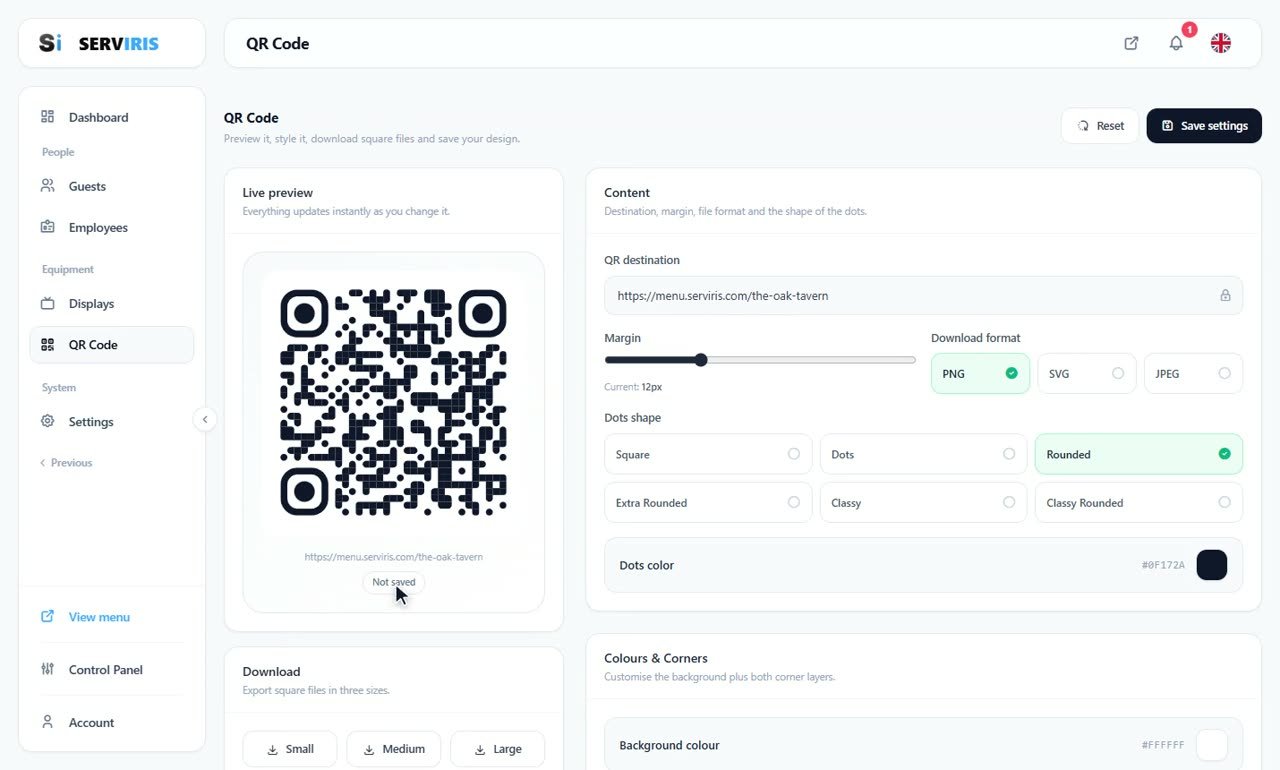
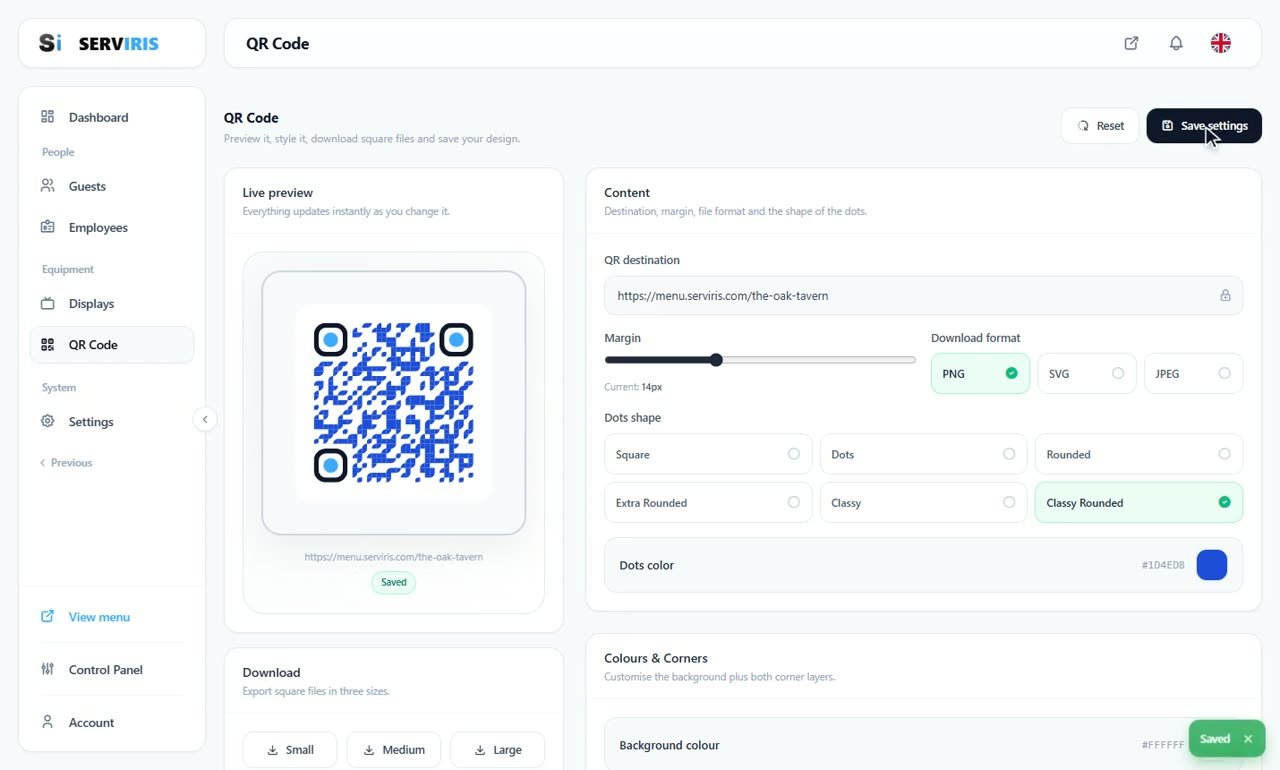
Left menu → QR Code. On the left the code, alive — every change repaints it — with the address it opens underneath: menu.serviris.com/the-oak-tavern. The badge under it tracks the design's saved state; top right wait “Reset” and “Save settings”.
-
2
Margin and format
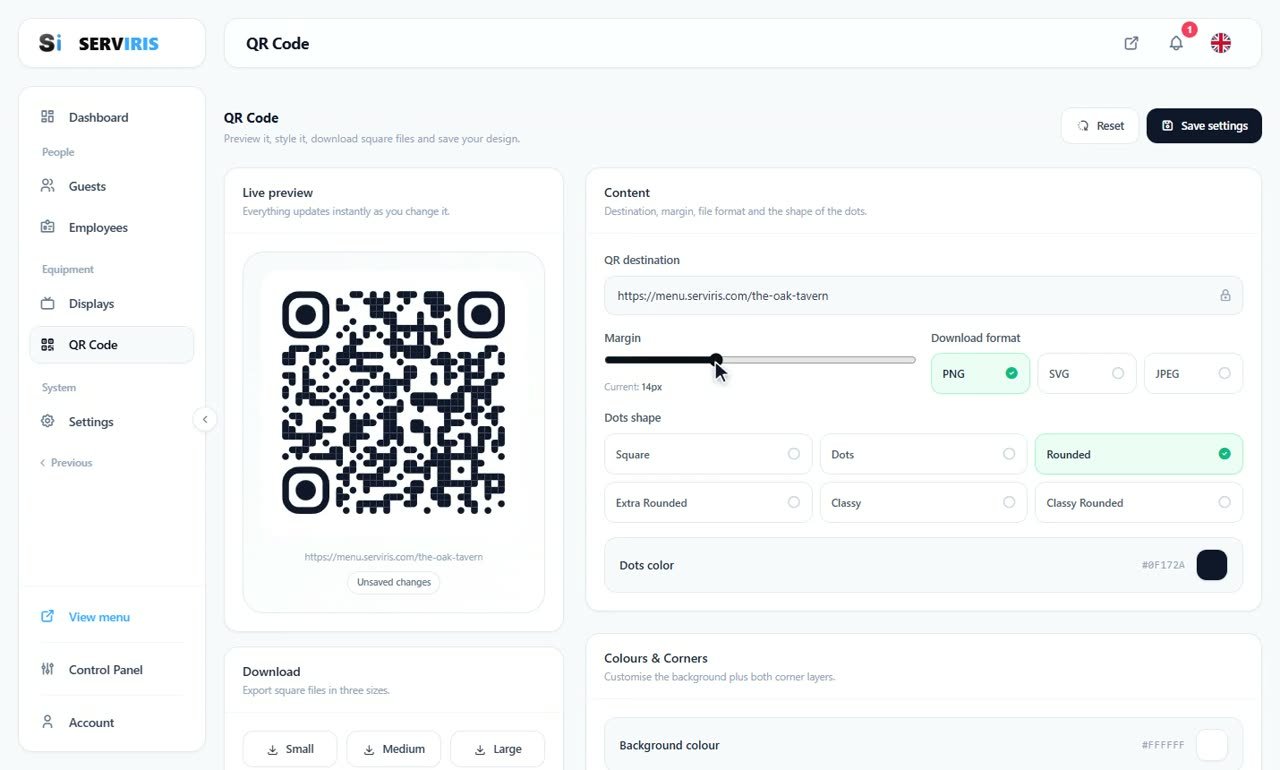
The margin slider travels edge to edge so you can see what it does — current: 14px. The download format picks PNG, SVG or JPEG: SVG for the print shop, PNG for everything else.
-
3
The body of the code
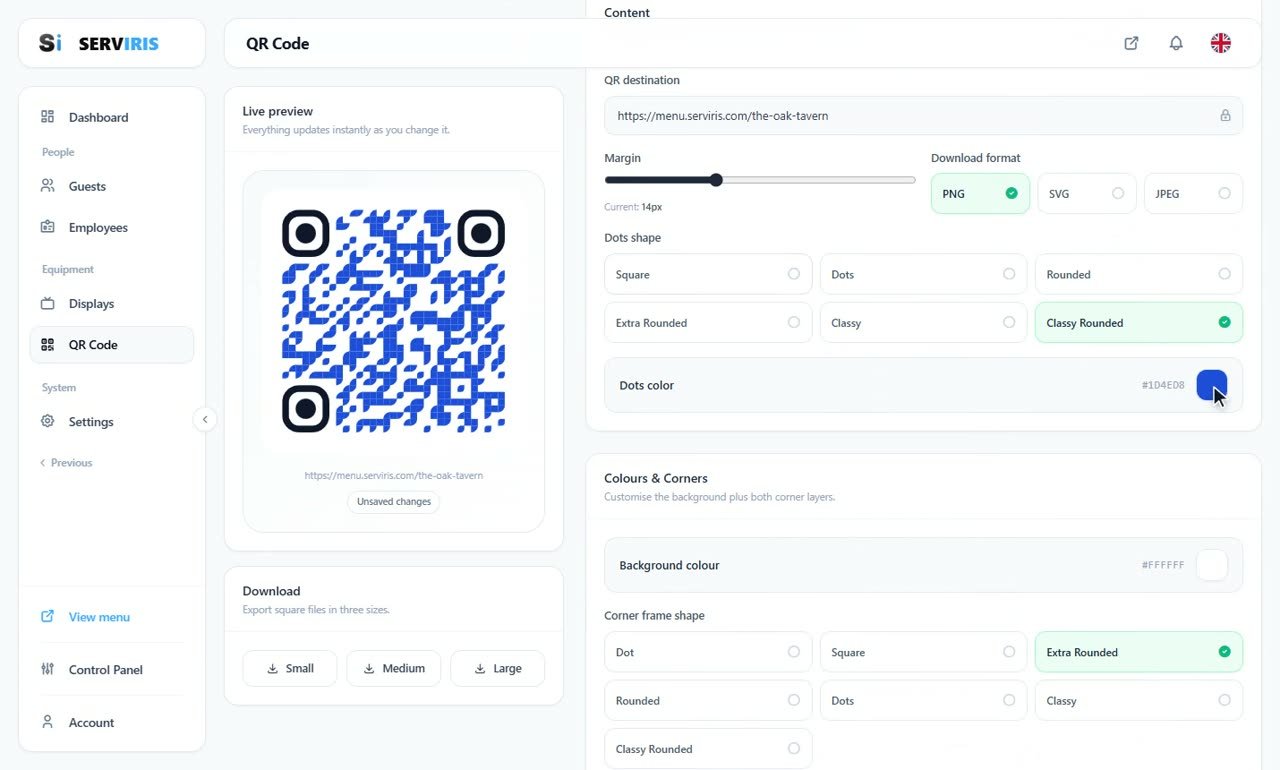
Six dot shapes, one by one in the preview, and their colour — the swatch opens a full picker, takes a hex, repaints instantly; here a royal blue settles in with “Classy Rounded”. Keep contrast: the code must scan in low light too.
-
4
The corners
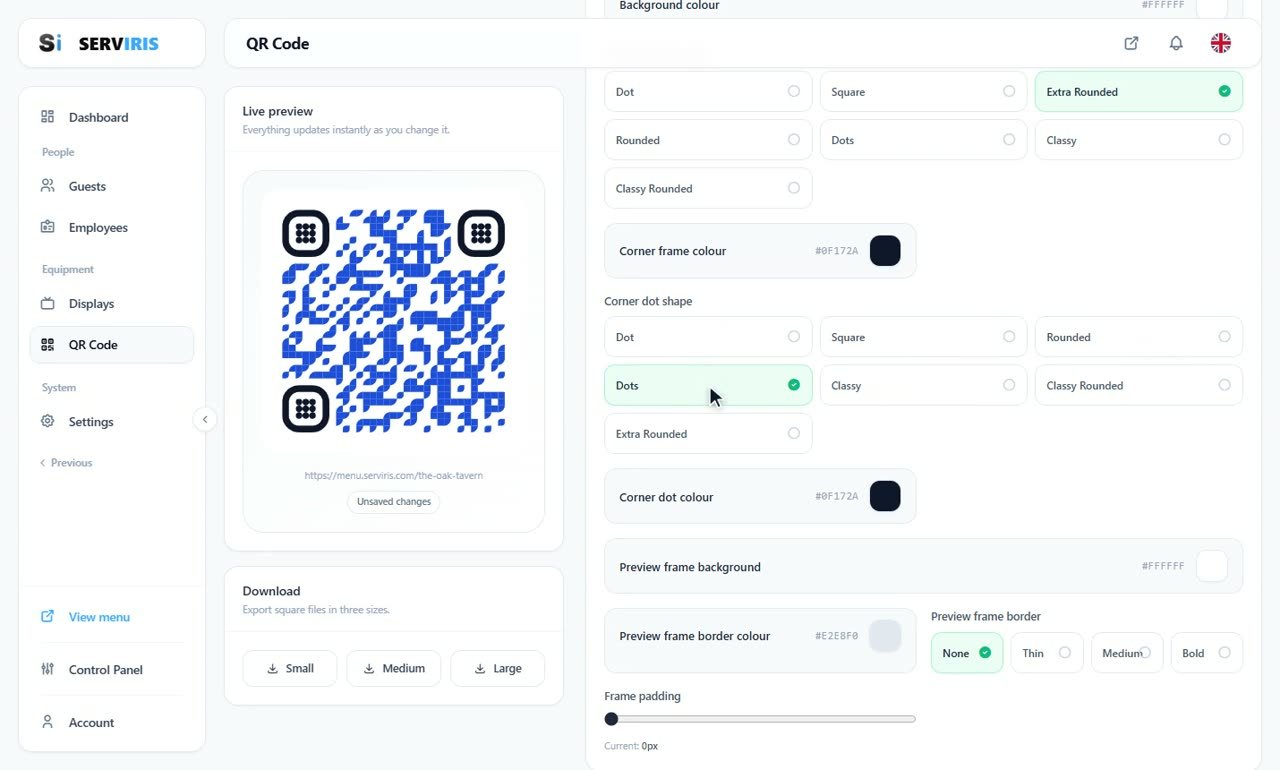
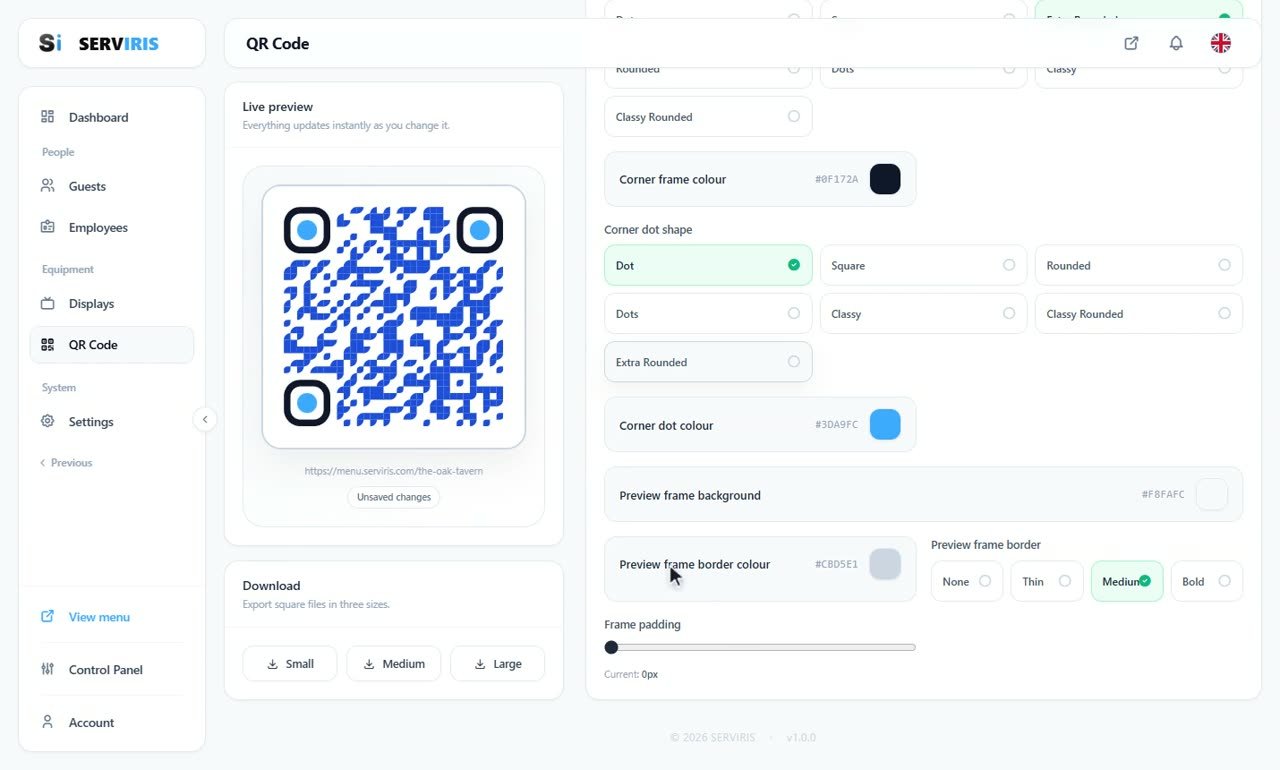
The three “eyes” have two layers: the corner frame — seven shapes, its own colour — and the corner dot, seven more. Here the frame goes Extra Rounded in ink, the preview showing exactly how each choice reads.
-
5
The second layer of the corners
The dot inside the eye takes its own shape and colour — a sky blue that gives character without hurting the scan — and the preview frame around the code gets background, border colour and thickness: everything a table card needs.
-
6
Save — the design holds
“Save settings”, and the badge under the preview turns green: Saved. The blue code with its classy rounded dots and blue eyes is now the venue's code — and the downloads, Small, Medium, Large, are ready for print.
-
7
Reset, when you want the factory back
“Reset” returns the code to its factory look, ready to be dressed again from scratch. Play freely: nothing is final until you save it.

Good to know
Dark dots on a light background, always — the reverse trips up some cameras.
Print one test and scan it from table distance before you print thirty cards.