
Service Advanced
Orders: one shift, end to end
The heart of service, told as one shift: the empty page and its tools, the guest ordering from the table's QR, the road to payment, the order the server takes on her phone, the corrections, the refunds and one cancellation — with History writing everything down.
All the points of the film 9 steps · 5:58
What you will learn
- Status tabs, search, refresh and filters
- An order's road: New → Preparing → Ready → Completed
- Marking payment, and each order's full History
- Who took the order (“Placed by”) when staff sends it
- Removing and restoring an item, and refunds: full amount, per item, custom
Step by step
-
1
STEP 1: The page, clean
Left menu → Orders. Before anything arrives, the tools: six status tabs — All, New, Preparing, Ready, Completed, Cancelled — the search, the refresh with its countdown ring, and the filters behind the funnel. “No orders yet”: not for long.

-
2
STEP 2: The guest orders from the table
We take the guest's seat: scan Table 1's QR, add to the basket, open “Checkout”. The summary is honest — 1× Fish & chips, 1× Elderflower press, 18,75 GBP — with a note for the kitchen and the payment method: Pay on leaving, or Cash. “Place order”, and it travels.

-
3
STEP 3: It arrives with an identity
Back in Orders: the card reads “Table 1 — 2 items · Pay on leaving”, wearing its New badge, and one click starts opening its panel. The tabs count along, and the bell up top has already rung.
-
4
STEP 4: Open it up
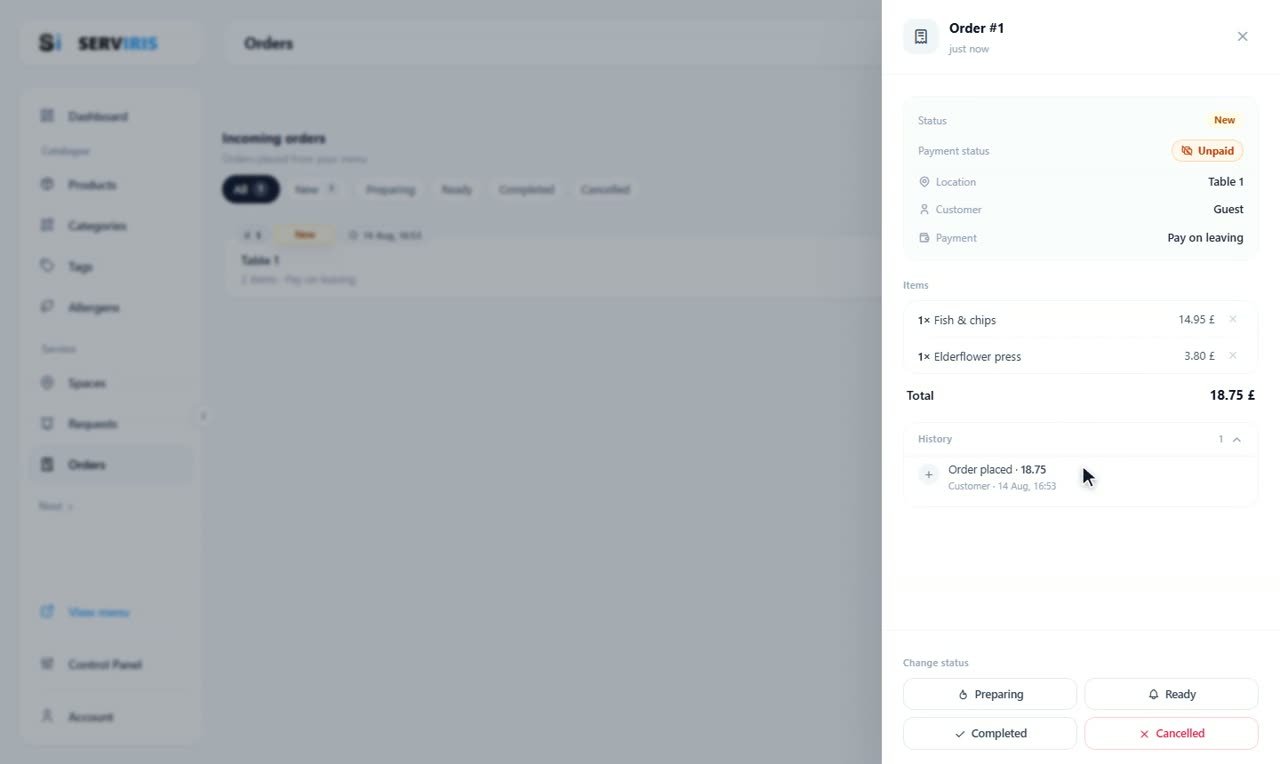
Inside: status New, payment Unpaid, location Table 1, customer Guest, the items with their prices — 14.95 and 3.80, total 18.75 £ — and the History that already recorded its birth: “Order placed · 18.75”. Below, “Change status” offers the four roads: Preparing, Ready, Completed, Cancelled.
-
5
STEP 5: The server orders from her phone
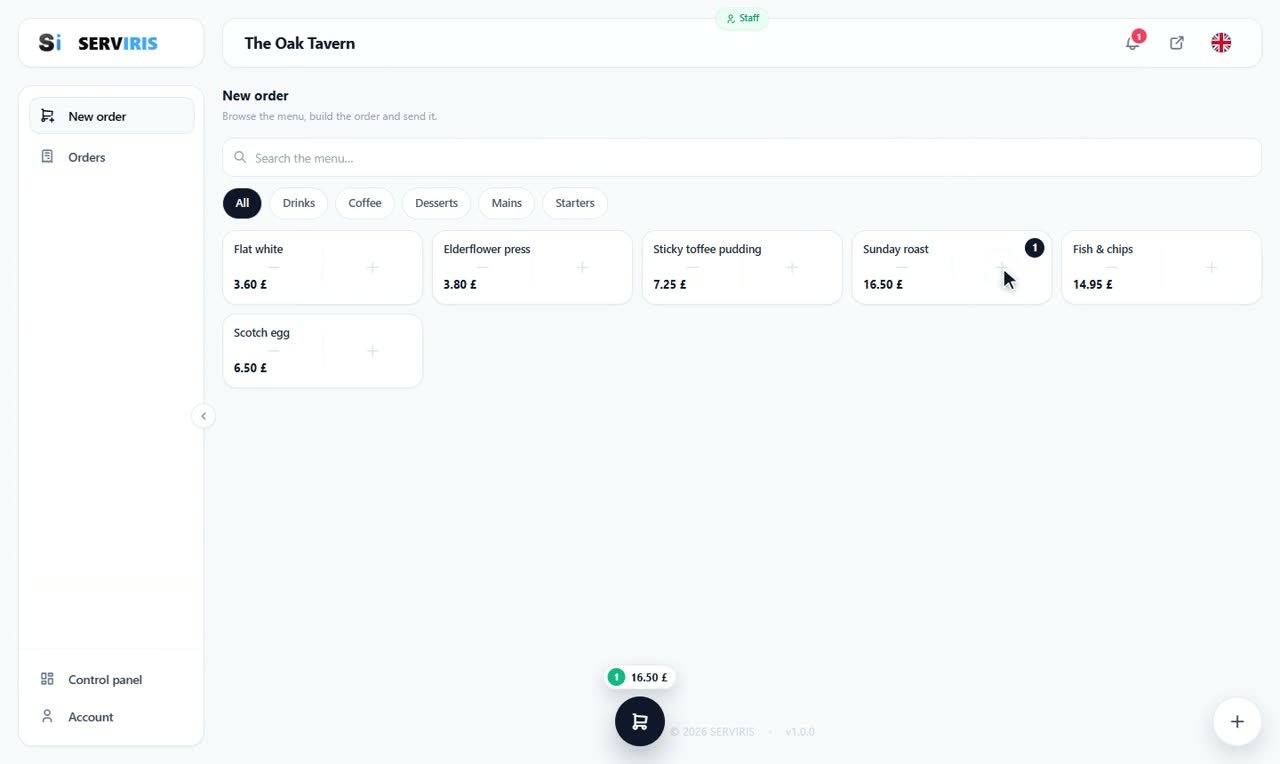
We sign out and sign in as Sophie, the employee from the Employees lesson. Her ordering terminal shows The Oak Tavern's menu in category chips — a Sunday roast with one tap, the basket counting 16.50 £, table chosen, send.
-
6
STEP 6: “Placed by”
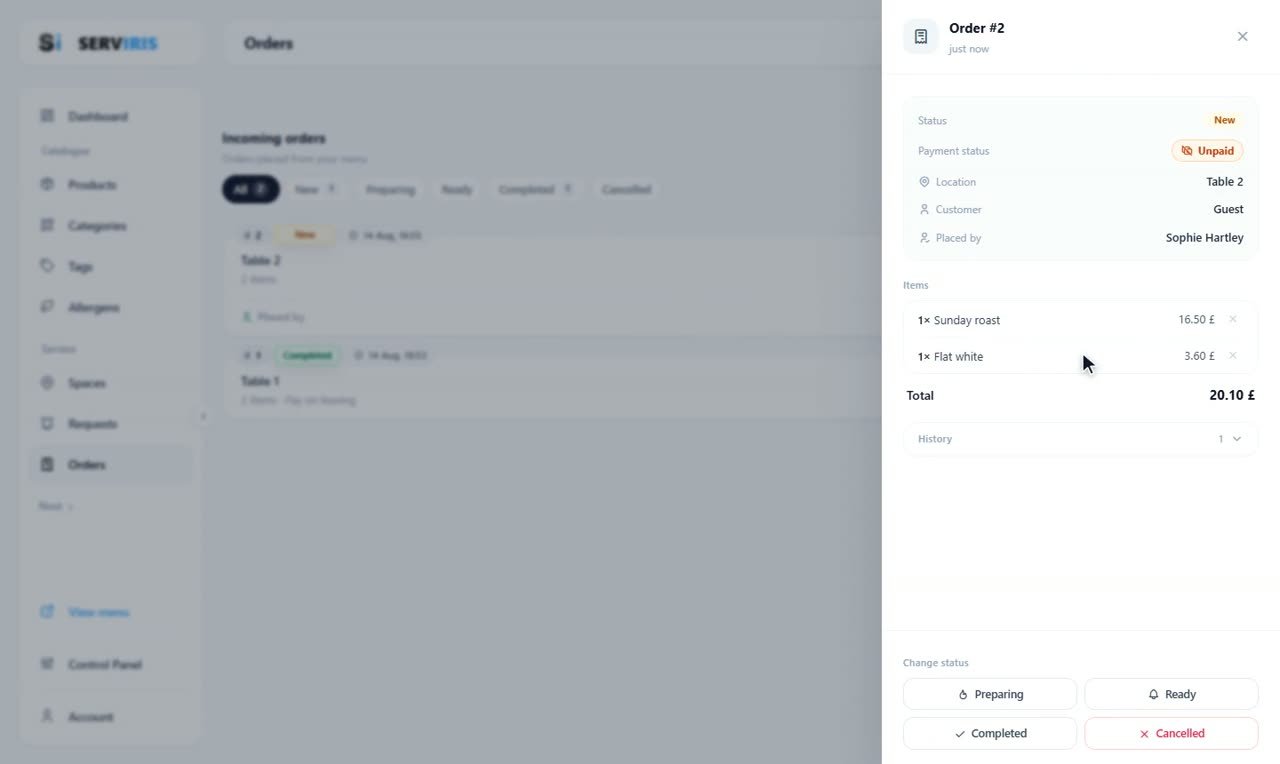
Back as the owner: Order #2 says Table 2, customer Guest — and one more line: “Placed by: Sophie Hartley”. Every staff order permanently carries who took it. Order #1, meanwhile, has gone Completed.
-
7
STEP 7: An item leaves — and comes back
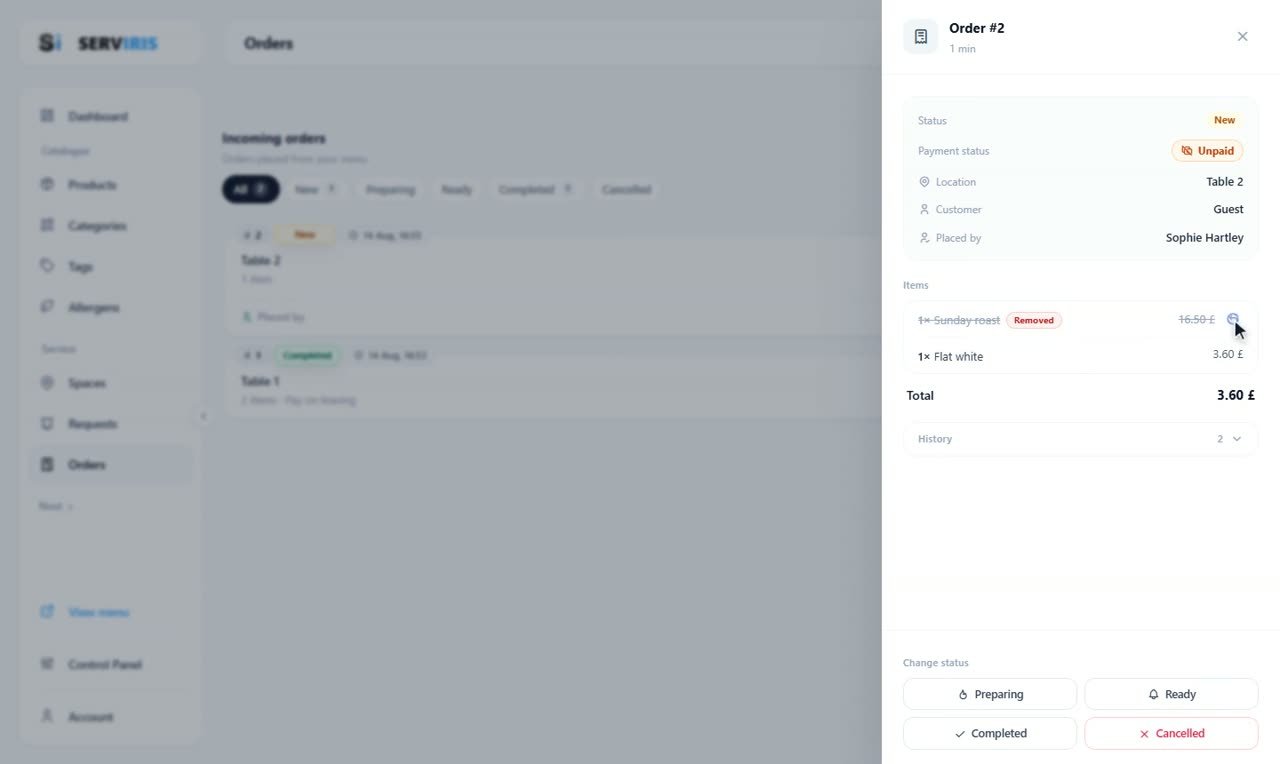
On the item's row, the little basket asks “Remove?”: the Sunday roast stays visible, struck through with a “Removed” badge, and the total falls to 3.60 £ — a soft removal, one click restores it. The last active item can never be removed, and History wrote it all down.
-
8
STEP 8: Refunds
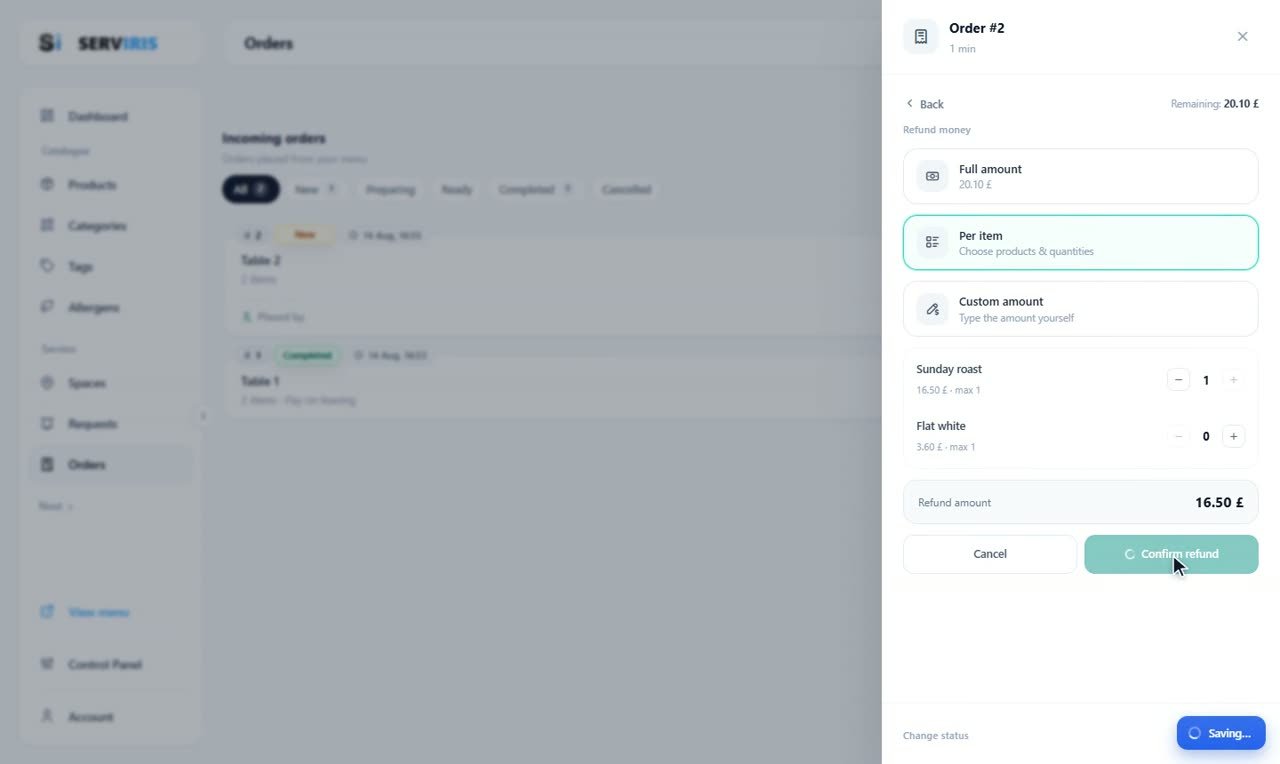
On a paid order, “Refund money” offers three roads: Full amount, Per item with quantity counters, Custom amount. Here Per item refunds the roast — Refund amount: 16.50 £ — “Confirm refund”, and both the History and the card's badge record it.
-
9
STEP 9: The cancellation
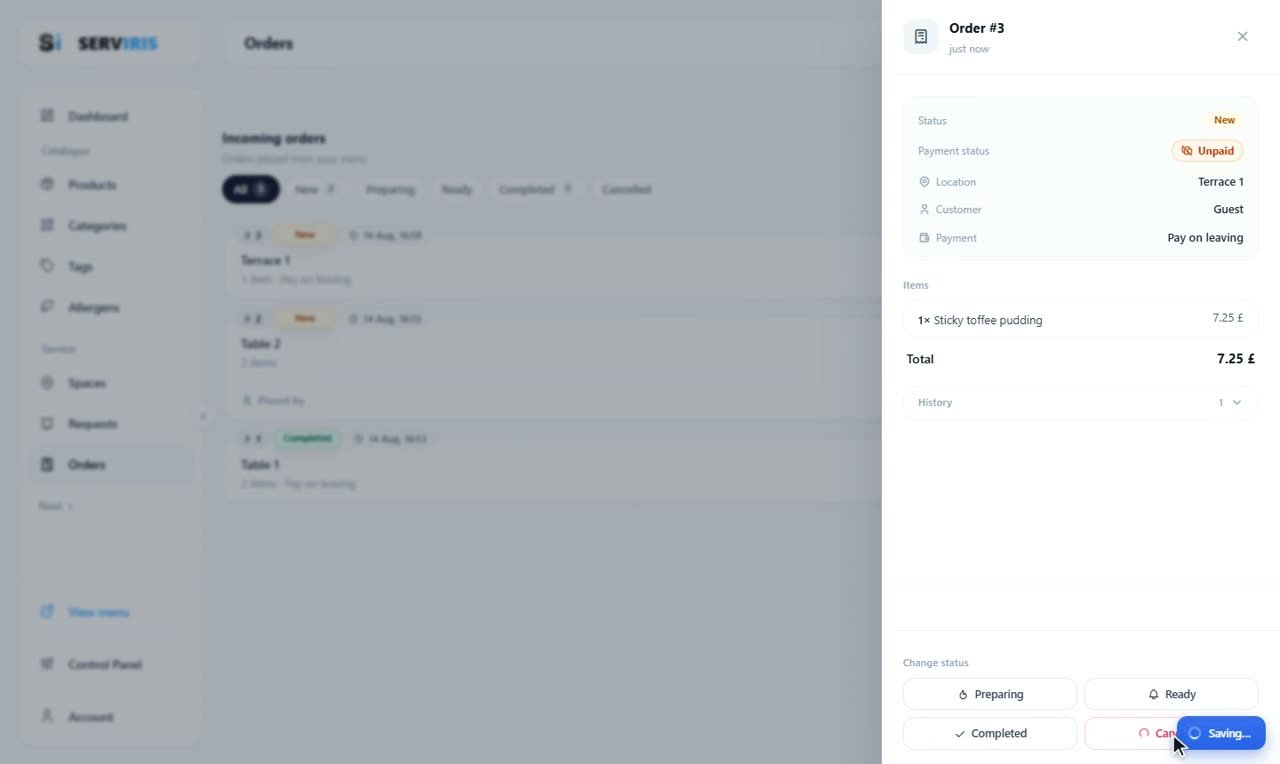
One more order, from Terrace 1 — a Sticky toffee pudding — and “Cancelled”. The Cancelled tab collects it; “All” shows the whole day: completed, the server's, cancelled — each with its table.
Good to know
History answers every “who/when” — it opens inside each order's panel.
Auto-refresh turns the page into a shift board — leave it open on a tablet at the pass.